Using Set instead of an Array

Let's say you had an object like this where you wanted to show the version numbers available for each type of application when the user checks an application. So if someone checks wordpress it should show the version numbers available, 6.2, 6.1, 5.9.
{
    'php': [
        '8.2',
        '8.1',
        '8.0',
        '7.4',
        '7.2',
    ],
    'wordpress': [
            '6.2',
            '6.1',
            '5.9',
        ],
    'Apache': [
            '2.4',
            '2.2',
        ],
    'Python': [
            '3.11',
            '3.10',
            '3.9',
        ],
};
Using arrays we would do something like show: [] and if the checkbox is checked we would push the key (wordpress) into the show array as a value. and if unchecked, we'll remove the key (value wordpress in show) from the show array.
So show would be ['wordpress'] when wordpress is checked and ['wordpress', 'apache'] when wordpress and apache are checked.
this.event.target.checked ? show.push(key) : show.splice(show.indexOf(key))
show.push(key) for pushing into the array and show.splice(show.indexOf(key)) to remove from the array. They would be unique since we are adding and removing on-checked and unchecked. Otherwise, we would end up checking for the existence of a value in an array like this which would be unnecessary :
this.event.target.checked ? (show.indexOf(key) === -1 ? show.push(key) : '') : (show.indexOf(key) >= 0 ? show.splice(show.indexOf(key)) : '')
So the AlpineJS code would be as follows :
<div x-data="{ applications: [], show: [] }" x-init="applications = await get_applications()">
    <div>
        <template x-for="key in Object.keys(applications)">
            <div>
                <div class="flex h-6 items-center">
                    <input :id="key" type="checkbox" :value="key" @click="this.event.target.checked ? show.push(key) : show.splice(show.indexOf(key))">
                    <label x-text="key" :for="key"></label>
                </div>
                <select x-show="show.indexOf(key) >= 0" :id="'select-' + key">
                    <template x-for="app in applications[key]">
                        <option :value="app" x-text="app"></option>
                    </template>
                </select>
            </div>
        </template>
    </div>
</div>
If we were to use Set (https://developer.mozilla.org/en-US/docs/Web/JavaScript/Reference/Global_Objects/Set) instead then we could replace the array part like :
show: [] with show: new Set()
this.event.target.checked ? show.push(key) : show.splice(show.indexOf(key))
with
this.event.target.checked ? show.add(key) : show.delete(key)
and show.indexOf(key) >= 0 with show.has(key)
Demos :
using Arrays - https://anjanesh.s3.amazonaws.com/demo/alpine/arrays.html
Using Set - https://anjanesh.s3.amazonaws.com/demo/alpine/set.html
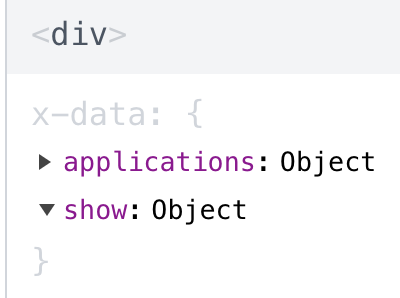
Side Note: My AlpineJS dev tools always show the Set Object to be empty even after selecting a check , though it isn't.
About the author
- I am a web developer from Navi Mumbai. Mainly dealt with LAMP stack, now into Django and getting into Laravel and Cloud. Founder of nerul.in and gaali.in
Comments
Join the discussionNo comments yet. Be the first to comment.